Free Remodeling Apps vs. Paid Software: What's the Real Difference
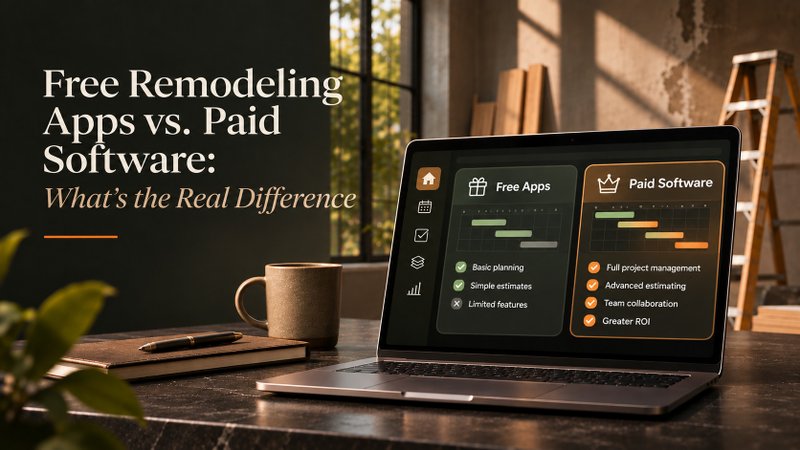
Free remodeling apps are better than most paid vendors will admit. They handle visualization, room measurement, inspiration and simple lists genuinely well, and for a lot of projects that is the whole job.
They also stop in four predictable places, and the ceiling is nearly identical across products. This article names those four places, shows where each free tier hits them, and gives you the arithmetic to decide whether paying is worth it. For a meaningful number of readers, the honest answer is no.
Disclosure: we sell renovation planning software. Read the recommendations with that in mind, and note that we are about to tell you when not to buy any.
Start free. Upgrade only on a trigger. There are three of them, and they are listed below. Create your free Atoriz account
What free remodeling apps actually do well
Quite a lot. Free tiers in this category cover visualization, room measurement, inspiration boards, shopping lists and single-room budgets competently. If your project is one room and one trade, you can plan the whole thing without paying anyone.
Room measurement in particular has become excellent. Phone-based scanning that used to require a paid tier now sits in several free plans. If you are choosing which room to spend on first, the JLC Cost vs. Value Report is free to read and more useful than any app. Visualization is the other genuine strength, because rendering is cheap to give away and it is what gets people to sign up.
None of that is a trick. It is just where the vendor's costs are low and yours are low too.
The four places free remodeling apps stop
Every free tier in this category stops at the same four things. Not because vendors are hiding them, but because these four are where the engineering actually lives. Knowing them tells you exactly when free stops working for you.
- Cost that recalculates. Free tools store a number. Paid tools change it when you change scope.
- Dependencies between tasks, trades and inspections. Free tools list tasks. They do not know that one gates another.
- Version history. Free tools show you now. They rarely show you what changed, or when, or what it was before.
- Collaboration with people who will not create an account. Free tools assume everyone signs up. Contractors do not.

Miss any of those and you do the work by hand. That is fine at small scale and expensive at large scale, which is the whole decision in one sentence.
Which free remodeling apps are worth using
Here is the shortlist, with honest limits. Free tiers change constantly in this category, so every one of these needs checking on the day you read this rather than trusted from an article.
RoomSketcher has a genuine free plan with two credits and one AI floor plan conversion. It is the fastest route to a clean, print-to-scale floor plan without paying. Pro is $12 per month billed annually if you outgrow it.
HomeZada Essentials is free and covers home inventory, documents and contacts. It is the strongest free option for recording a house, and it is light on construction sequencing.
Planner 5D and Homestyler are browser-first design tools with free tiers that watermark or limit exports.
MagicPlan does phone-based room scanning with a free tier.
Google Sheets or Excel is the most capable free cost tool that exists. More on that below.
Sortly has a free tier for inventory and photos, useful on material-heavy projects.
Atoriz Scope, ours, has no permanently free tier. Only a 7-day trial. We are including that so you do not go looking for one.
What free tiers usually restrict
Restrictions cluster into seven types, and vendors mix them differently. Read this table before you invest a weekend building a project inside a tool, because some limits only appear once you try to get something out.
| Project count | One or two active projects, then you are blocked |
|---|---|
| Room or item count | A cap on rooms, items or line entries |
| Export | View it free, download it paid |
| Watermarks | Usable for you, unusable for a contractor or a lender |
| Resolution | Low-quality renders that misrepresent the space |
| Collaborators | Single user, no sharing at all |
| Storage duration | Data deleted after a period of inactivity |
Export is the one that catches people. You can build the whole plan and then discover you cannot get it out in a form anyone else can read.
The spreadsheet question
A spreadsheet is the most capable free cost tool available and the worst free dependency tool available. Both halves of that are true, and which half matters depends entirely on your project.
For cost, a spreadsheet beats most paid apps. It holds quoted against actual, totals correctly, sorts by room, and exports by definition. Nothing in a free app does that better.
For dependencies, it is close to useless. It will recalculate the dates you built formulas for and tell you nothing about the trade that needs rebooking, the inspection that shifted, or the carrying cost that just appeared. It stops being reliable at roughly the point where two trades depend on each other.
What free remodeling apps actually cost you
Run the arithmetic yourself rather than taking a vendor's word for it, including ours. Here are the two numbers, and neither of them is a claim about what software prevents.
A year of owner-side planning software runs roughly $90 to $800, depending on plan and billing. Against that, the 2026 U.S. Houzz & Home Study put median 2025 renovation spend at $20,000, with 37 percent of homeowners exceeding their budget and 31 percent expanding scope mid-project.
So the question is not whether software prevents an overrun. It does not, and anyone claiming otherwise is selling. The question is narrower: on your project, would seeing cost and schedule move together have changed a decision you made? If you cannot point at one, stay free.
The three triggers to upgrade from free remodeling apps
Three situations mean you have outgrown free. Until one of them is true, the free tier is doing the job, and you should keep the money in the project rather than the subscription.
- More than one trade depends on another finishing first. The moment an inspection or a cure time gates later work, manual reconciliation starts costing real hours.
- More than one project runs at once, sharing a budget. Free tools have no concept of a shared contingency pool across projects.
- Someone other than you needs the current version. A contractor, a partner, a lender. The moment a second person needs the truth, screenshots stop working.

Market conditions are on your side while you wait. Harvard's Joint Center for Housing Studies projects annual improvement and repair spending near $523 billion into early 2027, with growth close to flat. Vendors competing for a flat market tend to keep free tiers generous.
Start free, and watch for the three triggers
Pick a free tool that matches your job. RoomSketcher for layout, HomeZada for records, a spreadsheet for cost. Run the project on it and see whether you hit a trigger. Plenty of people never do.
If you do hit one, the scored comparison of paid tools covers what to buy, and the renovation software category guide explains which kind of product you need first. To keep the budget tight either way, how to remodel a house on a budget is the practical version. For the timeline specifically, the format comparison covers spreadsheet versus app.
No trigger, no subscription. Come back when one of the three is true. Create your free Atoriz account
Free tier details verified September 2026. This page needs a review every 90 days, because free tiers in this category change faster than anything else on the site.
Frequently Asked Questions
What is the best free remodeling app?
It depends which job you need done. RoomSketcher is the best free option for floor plans, with a genuine free tier and two credits. HomeZada Essentials is the best free option for recording a house: inventory, documents, warranties. For cost tracking, a spreadsheet beats every free app, and it always will, because that is what spreadsheets are for.
Is free renovation software good enough for a whole-house remodel?
Usually not, and the reason is specific rather than general. Whole-house work involves several trades gating each other and inspections controlling dates, and no free tier models that. You can still plan a whole house free, using a spreadsheet for cost and a design tool for layout. You will just do the reconciliation by hand, every week, for months.
Can I plan a renovation for free?
Yes, and plenty of people do it well. Write the scope down, put costs in a spreadsheet, use a free design tool for layout, and keep documents in a free tier like HomeZada Essentials. That stack costs nothing and covers most single-project renovations. What it will not do is tell you what moved when a date slips.
What is the catch with free remodeling apps?
Usually export or collaborator limits rather than anything hidden. You can build the whole project, then find you cannot download it in a form a contractor can read, or cannot add a second person. Check export before you invest time, not after. Storage duration is the other one worth reading, since some free tiers delete inactive data.
Is a spreadsheet better than a free app?
For cost, yes, clearly. A spreadsheet holds quoted against actual, totals properly and exports anywhere. For layout, no, use a design tool. For dependencies, neither works, which is the honest answer nobody likes. The best free setup is usually a spreadsheet plus a free design tool, rather than one app trying to do both jobs badly.
Do free apps let you export your plan?
Often not, or only in a limited format. This is the single most common paywall in the category, and it is the one that costs you the most if you discover it late. Test the export on day one with a throwaway project. If you cannot get your data out in something a contractor or a lender can open, the tool is a dead end for anything serious.
When should I upgrade to paid software?
When one of three things becomes true: trades start depending on each other, more than one project shares a budget, or someone else needs the current version. Before any of those, paid software is a subscription for something you are not using. After one of them, the manual reconciliation work generally costs more per month than the tool does.